How to Build a Football AI Predictor with Python: A Beginner's Guide
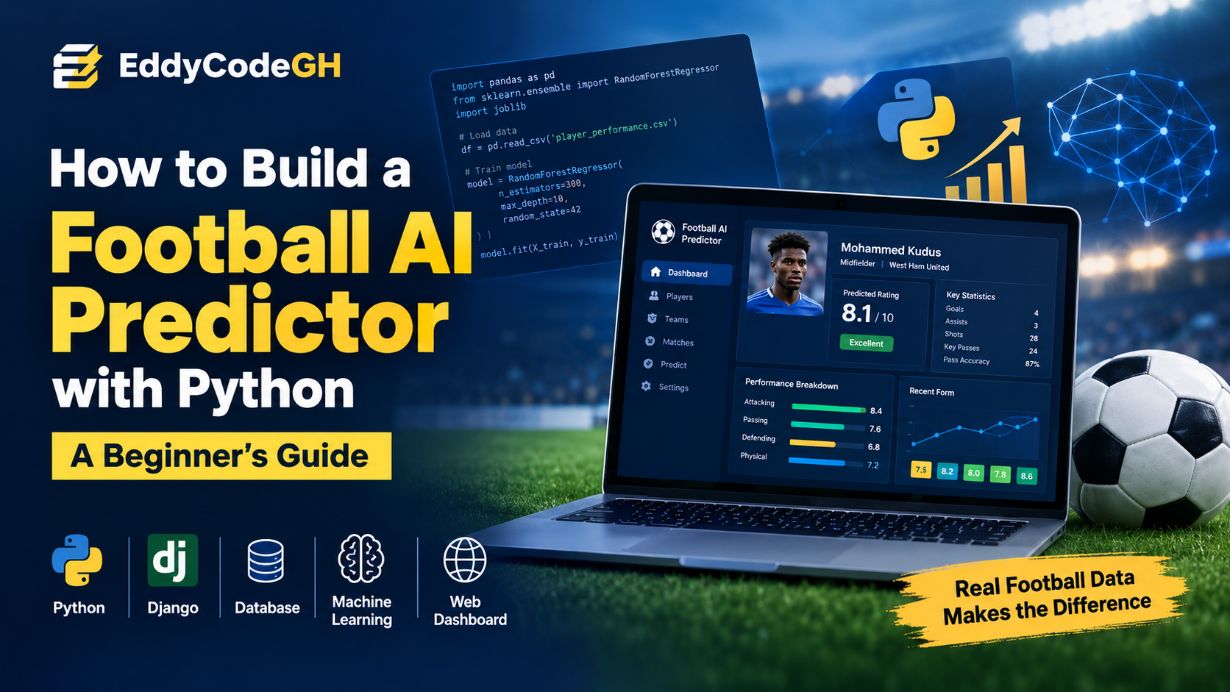
Artificial intelligence is becoming increasingly useful in football analytics. In this guide, we will walk through how to build a beginner-friendly football AI system using Python, Django and machine learning.
The goal of this project is not to create a magic system that can perfectly predict football. Instead, we will build a practical sports analytics system that learns from historical player statistics and estimates a player's performance rating.
What Are We Building?
Our project is a web-based football analytics application powered by machine learning.
A user can store football players and their statistics, train a machine learning model using historical data, and then send new statistics to the model to receive an estimated performance rating.
Our basic system looks like this:
Football Data
   ↓

Data Cleaning
↓
Feature Engineering
↓
Training Dataset
↓
Machine Learning Model
↓
Performance Prediction
↓
Django API
↓
Web Dashboard
What You Need to Know Before Starting
You do not need to be an AI expert to follow this project. However, having some knowledge of Python and Django will make the project much easier to understand.
You should have a basic understanding of:
- Python variables and functions
- Python lists and dictionaries
- Object-oriented programming
- Django models and views
- HTML and CSS
- Basic databases
- Basic mathematics and statistics
You do not need advanced mathematics to build the first version. Libraries such as Pandas and Scikit-learn handle much of the technical machine learning work for us.
Step 1: Choose What the AI Should Predict
One of the first mistakes beginners make when building an AI system is starting with the model before deciding what the model should actually predict.
Machine learning needs a clearly defined target.
For our project, the target will be a player's football performance rating on a scale from 0 to 10.
Target:

player performance rating

Example:

6.0  = below average
7.0  = good
8.0  = very good
9.0  = excellent
This makes the problem a regression problem because the model is predicting a numerical value rather than simply choosing between categories.
Step 2: Understand the Most Important Part — The Data
Before talking about AI models, there is something even more important: football data.
A machine learning model cannot magically understand football. It learns patterns from the data that we provide.
This is why collecting good football data should be treated as one of the main parts of the project, not an afterthought.
Why Real Football Data Matters
Imagine training an AI system with only 20 fictional player records. The model can technically train, but it has very little information from which to learn meaningful football patterns.
Our starter project contains a small demonstration CSV so that beginners can run the application immediately. That dataset is useful for learning the architecture, but it is not sufficient for building a serious football analytics model.
A real project should use a substantially larger and carefully prepared historical dataset.
Examples of useful football data
- Player minutes played
- Goals
- Assists
- Shots
- Shots on target
- Key passes
- Total passes
- Pass completion percentage
- Successful dribbles
- Tackles
- Interceptions
- Clearances
- Recent match ratings
- Player position
- Age
- Historical performance
Depending on the purpose of the system, you can also include contextual information such as competition, opponent strength, home or away status, injuries, playing time and team performance.
Data Quality Is More Important Than Data Quantity
Having a huge dataset does not automatically make an AI system good. The data must also be accurate, consistent and relevant.
For example, suppose one data source records pass accuracy as:
88while another source records the same statistic as:
0.88These represent the same concept but different numerical formats. If you combine them without cleaning the data, your model may learn incorrect patterns.
Data preparation therefore becomes a major part of the AI project.
Step 3: Create the Django Project
Django will provide the web application, database layer, administration interface and API structure.
A simplified project structure looks like this:
football_ai_predictor/

│
├── manage.py
│
├── config/
│   ├── settings.py
│   ├── urls.py
│   └── wsgi.py
│
├── analytics/
│   ├── models.py
│   ├── views.py
│   ├── api.py
│   └── admin.py
│
├── ml/
│   ├── train_model.py
│   └── models/
│
├── data/
│   └── player_performance.csv
│
├── templates/
│   ├── base.html
│   ├── dashboard.html
│   └── player_detail.html
│
└── static/
└── css/
Step 4: Install the Python Libraries
Our project uses Django for the web application and several Python libraries for machine learning and data processing.
pip install django djangorestframework pandas numpy scikit-learn joblibWhat does each library do?
- Django: Builds the web application.
- Django REST Framework: Helps us create the prediction API.
- Pandas: Reads and processes football datasets.
- NumPy: Provides numerical operations.
- Scikit-learn: Provides machine learning algorithms.
- Joblib: Saves the trained model so that Django can use it later.
Step 5: Design the Database
The database stores the football information that our application needs.
Our project starts with four important models:
- Team — stores football teams.
- Player — stores player information.
- Match — stores matches.
- PlayerMatchStat — stores a player's statistics for a match.
Team model
class Team(models.Model):
name = models.CharField(max_length=120, unique=True)
country = models.CharField(max_length=80, blank=True)
Player model
class Player(models.Model):
name = models.CharField(max_length=150)
team = models.ForeignKey(
    Team,
    on_delete=models.SET_NULL,
    null=True,
    blank=True
)
position = models.CharField(max_length=3)
age = models.PositiveSmallIntegerField()
active = models.BooleanField(default=True)
Player statistics
class PlayerMatchStat(models.Model):
player = models.ForeignKey(Player, on_delete=models.CASCADE)
match = models.ForeignKey(Match, on_delete=models.CASCADE)

minutes = models.PositiveSmallIntegerField(default=0)
goals = models.PositiveSmallIntegerField(default=0)
assists = models.PositiveSmallIntegerField(default=0)
shots = models.PositiveSmallIntegerField(default=0)
key_passes = models.PositiveSmallIntegerField(default=0)
passes = models.PositiveSmallIntegerField(default=0)
pass_accuracy = models.FloatField(default=0)
tackles = models.PositiveSmallIntegerField(default=0)
interceptions = models.PositiveSmallIntegerField(default=0)
clearances = models.PositiveSmallIntegerField(default=0)
dribbles = models.PositiveSmallIntegerField(default=0)
dribble_success = models.FloatField(default=0)
rating = models.FloatField(null=True, blank=True)
Step 6: Create the Database Tables
After creating the Django models, Django needs to create the corresponding database tables.
python manage.py makemigrations

python manage.py migrate
If you forget to run migrations, you may see an error such as:
OperationalError: no such table: analytics_playerThis simply means the application is trying to access a database table that has not been created yet.
Step 7: Prepare the Machine Learning Dataset
Machine learning models generally work with structured data. A CSV file is a convenient format for our first project.
Our dataset can contain columns such as:
player_id

player_name
position
age
minutes
goals
assists
shots
key_passes
passes
pass_accuracy
tackles
interceptions
clearances
dribbles
dribble_success
recent_rating
target_rating
The most important column to understand is target_rating.
This is the historical rating that the machine learning model is trying to learn to predict.
Features and Target
In machine learning, the information given to the model is commonly called features.
The value we want the model to predict is called the target.
Features:

age
minutes
goals
assists
shots
key_passes
passes
pass_accuracy
tackles
interceptions
clearances
dribbles
dribble_success
recent_rating

Target:

target_rating
Conceptually, we are asking the model:
Step 8: Why You Should Not Rely on the Demo Dataset
The project comes with a small example dataset because a beginner needs something that can be used to test the machine learning pipeline.
However, those sample records are only for demonstration.
If you want to create a genuinely useful football analytics application, you need a much larger historical dataset collected from reliable, appropriately licensed sources.
Ideally, the dataset should contain many players, many matches, multiple seasons and consistent statistics.
Step 9: Clean the Football Data
Real-world datasets are rarely perfect.
You may encounter:
- Missing player statistics
- Duplicate records
- Different player names
- Different team names
- Incorrect numerical values
- Different percentage formats
- Missing match ratings
- Players changing teams
- Different statistical definitions between data providers
Before training the AI, these issues should be identified and handled.
Pandas makes this process much easier.
import pandas as pd

df = pd.read_csv("data/player_performance.csv")

print(df.head())
print(df.info())
print(df.isnull().sum())
Step 10: Split the Data
We should not train and evaluate our model using exactly the same records.
Instead, we divide the dataset into training and testing data.
from sklearn.model_selection import train_test_split

X_train, X_test, y_train, y_test = train_test_split(
X,
y,
test_size=0.2,
random_state=42
)
In this example, approximately 80% of the records are used for training and 20% are kept for testing.
The testing data gives us an indication of how well the model performs on information it did not see during training.
Step 11: Choose a Machine Learning Model
For our first version, we use a Random Forest Regressor.
from sklearn.ensemble import RandomForestRegressor

model = RandomForestRegressor(
n_estimators=300,
max_depth=10,
random_state=42,
n_jobs=-1
)
Random Forest is a useful starting point because it can model relationships between multiple numerical and categorical features without requiring an extremely complicated setup.
It is not necessarily the best model for every football dataset. As the project grows, you can compare it with other algorithms.
Step 12: Train the AI
Once the data has been prepared, we can train the model.
model.fit(X_train, y_train)During training, the algorithm examines relationships between the input statistics and the historical performance ratings.
This is where the quality of your football data becomes extremely important.
If the historical data contains meaningful patterns, the model has something useful to learn. If the data is inaccurate, tiny or biased, the model's predictions can also be unreliable.
Step 13: Evaluate the Model
Training a model is not enough. We need to measure how well it performs.
Our project uses metrics such as:
- MAE — Mean Absolute Error
- RMSE — Root Mean Squared Error
- R² — R-squared
from sklearn.metrics import (
mean_absolute_error,
mean_squared_error,
r2_score

)

predictions = model.predict(X_test)

mae = mean_absolute_error(y_test, predictions)
rmse = mean_squared_error(
y_test,
predictions
) ** 0.5

r2 = r2_score(y_test, predictions)

print("MAE:", mae)
print("RMSE:", rmse)
print("R²:", r2)
These numbers help us understand whether the model is learning useful relationships or simply producing poor estimates.
Step 14: Save the Trained Model
We do not want to train the model every time somebody opens the website.
After training, we can save it to a file using Joblib.
import joblib

joblib.dump(
model,
"ml/models/player_performance_model.joblib"
)
Django can then load this trained model when a prediction is requested.
Step 15: Connect the AI to Django
Now we connect our machine learning model to the web application.
Django REST Framework allows us to expose a prediction endpoint.
POST /api/predict/The application can send player statistics to this endpoint.
{
"age": 24,
"minutes": 90,
"goals": 1,
"assists": 1,
"shots": 4,
"key_passes": 3,
"passes": 45,
"pass_accuracy": 88,
"tackles": 2,
"interceptions": 1,
"clearances": 1,
"dribbles": 4,
"dribble_success": 75,
"recent_rating": 7.4

}
The API passes these values to the trained model and returns an estimated performance rating.
Step 16: Return a Prediction
The model might return a result such as:
{
"predicted_rating": 8.12,
"scale": "0-10",
"interpretation": "Excellent"

}
This value should be treated as a machine learning estimate, not as a guaranteed result.
AI models identify patterns from historical information. They cannot know every factor that will influence a future football performance.
Step 17: Build the Dashboard
The final step is to make the system usable through a web interface.
Our Django dashboard can display:
- Total players
- Total teams
- Number of statistical records
- Player profiles
- Recent performance statistics
- AI performance estimates
A simple dashboard is a good starting point. Later, we can add charts, filters, player comparisons and performance trends.
Step 18: Add More Historical Data
This is where the project becomes much more interesting.
Instead of manually entering a few records, you can create a proper data-import pipeline.
The pipeline could look like:
Raw Football Data
    ↓

Validation
↓
Cleaning
↓
Standardization
↓
Feature Engineering
↓
Database
↓
Training Dataset
↓
Machine Learning Model
You could build a Django management command that imports approved football datasets into the database.
Step 19: Feature Engineering
One of the most important improvements you can make is feature engineering.
Instead of simply giving the model raw statistics, we can create more meaningful measurements.
Per-90 statistics
Players do not always play the same number of minutes. Comparing a player who played 90 minutes with one who played 20 minutes using raw totals can be misleading.
Per-90 statistics can provide a more consistent comparison.
goals_per_90 =
goals / minutes * 90

shots_per_90 =
shots / minutes * 90

key_passes_per_90 =
key_passes / minutes * 90
These features can give the model additional context.
Step 20: Calculate Recent Form
A player's most recent performances can also be useful.
Instead of using only one rating, you could calculate averages over several previous matches.
last_5_average_rating

last_10_average_rating
last_5_goals
last_5_assists
last_5_shots
last_5_key_passes
This gives the model a better representation of recent performance.
Step 21: Avoid Data Leakage
Beginners often overlook a very important machine learning problem: data leakage.
Data leakage happens when information that would not actually be available at prediction time accidentally enters the training features.
For example, if you are trying to estimate a player's performance before a match, you should not give the model statistics that were recorded after that match.
This becomes particularly important when working with chronological football data.
Step 22: Make the Dataset Chronological
For sports analytics, randomly splitting historical matches is not always the best way to evaluate a model.
A stronger approach is often to train on older matches and test on later matches.
Older Matches
  ↓

Training Data
↓
Newer Matches
↓
Testing Data
This more closely resembles how the system would operate in the real world: learning from the past and evaluating performance on later data.
Step 23: Improve the AI Model
Once you have a good dataset, you can experiment with different algorithms.
- Random Forest
- Gradient Boosting
- HistGradientBoosting
- XGBoost or similar gradient-boosting approaches
- Neural networks
Do not assume that the most complicated model is automatically the best.
A simpler model with clean, meaningful features can outperform a complex model trained on poor data.
Step 24: Explain the AI's Predictions
A useful football analytics application should not simply display a number.
Users should also understand what influenced the result.
For example:
Predicted Performance: 8.1

Important factors:

- Recent rating

- Key passes

- Shots

- Pass accuracy

- Successful dribbles

- Minutes played
This makes the system easier to understand and gives users more context when interpreting the model's output.
Step 25: What Real Football Data Should You Collect?
If you want to take this project beyond the tutorial stage, think of your dataset as one of the most valuable components of the entire system.
A stronger dataset could contain:
- Multiple football seasons
- Multiple competitions
- Many teams
- Many players
- Individual match statistics
- Player positions
- Minutes played
- Historical ratings
- Team performance
- Opponent information
- Recent-form statistics
Most importantly, make sure you have the right to use the data. Check the provider's terms, licensing requirements and permitted uses before incorporating a dataset into a public or commercial application.
How Much Data Do You Need?
There is no single number that guarantees a good AI model.
Twenty demonstration records are enough to test your code, but they are nowhere near enough to build a reliable football analytics system.
As you collect more high-quality historical records, you can evaluate whether model performance actually improves.
The important question is not simply: "How many rows do I have?"
A better question is: "Do these rows represent the football situations my model will encounter in the real world?"
Common Beginner Mistakes
1. Starting with the AI model
Start with the problem and the data instead. The model comes later.
2. Using a tiny dataset
A tiny dataset may demonstrate that your Python code works, but it cannot provide strong evidence that the model will generalize well.
3. Ignoring data quality
Incorrect or inconsistent statistics can negatively affect the model.
4. Measuring only training accuracy
A model can perform very well on training data while performing poorly on new data. Always evaluate it properly.
5. Assuming AI predictions are facts
A prediction is an estimate generated from patterns in historical data. It is not certainty.
6. Using future information
Avoid data leakage. Your features should represent information available at prediction time.
Recommended Development Roadmap
Stage 1 — Python
Learn Python fundamentals, functions, classes and data structures.
Stage 2 — Data Analysis
Learn Pandas, NumPy and basic statistics.
Stage 3 — Football Dataset
Collect, license and clean real historical football data.
Stage 4 — Machine Learning
Learn regression, classification, training, testing and evaluation.
Stage 5 — Model Development
Train several models and compare their performance.
Stage 6 — Django
Build the database, API and web dashboard.
Stage 7 — Deployment
Deploy the application and monitor its performance over time.
What You Can Add Later
Once the basic system works, there are many ways to expand it.
- Player comparison tools
- Performance charts
- Season-by-season analysis
- Team dashboards
- Player ranking systems
- Position-specific models
- Automated data imports
- Model retraining
- Model performance monitoring
- REST API access
- Mobile-friendly dashboard
From a Python Script to a Real AI Application
One of the most useful lessons from this project is that building an AI application involves much more than writing a machine learning algorithm.
A complete system combines several technologies:
Python

  +

Pandas
+
Scikit-learn
+
Database
+
Django
+
REST API
+
HTML/CSS/JavaScript

Football AI Application
Python handles the machine learning and data processing. Django handles the web application. The database stores football information. The API connects the AI model to the application. HTML, CSS and JavaScript provide the user interface.
Final Thoughts
Building a football AI predictor is an excellent way for a beginner to learn both Python and artificial intelligence because it combines programming, databases, data analysis, machine learning and web development in one project.
But there is one lesson that should remain at the center of the project: the AI model is only as useful as the data and methodology behind it.
Do not become too focused on finding the most advanced algorithm. Spend time understanding your football data, cleaning it correctly, creating meaningful features and evaluating the model honestly.
Start with a small working system. Then gradually replace the demonstration data with a properly sourced historical dataset, improve the features, test different models and monitor how the system performs on new data.
Frequently Asked Questions
Can a beginner build this project?
Yes. You do not need to understand every machine learning concept before starting. Build the project in small stages and learn each component as you go.
Do I need real football data?
If you want a meaningful model, yes. The small dataset included in the tutorial is mainly for demonstrating how the application works. A serious system needs a larger, reliable and appropriately licensed historical dataset.
Is more data always better?
No. More data is useful when it is accurate, relevant and representative. Large amounts of poor-quality data can still produce a poor model.
Why use Django?
Django makes it possible to turn the Python machine learning component into a complete web application with databases, authentication, administration tools, APIs and dashboards.
Why use Random Forest?
Random Forest provides a relatively accessible starting point for experimenting with structured football data. It is not guaranteed to be the best algorithm for every dataset, so different models should be evaluated as the project develops.
Can I improve the model later?
Absolutely. Improving the dataset and feature engineering is often more valuable than simply switching to a more complicated algorithm. You can later compare several machine learning approaches and evaluate them using unseen historical data.
Can this project be expanded?
Yes. You can eventually turn it into a complete football analytics platform with player profiles, historical performance charts, team analytics, rankings, comparisons and automated data processing.
EddyCodeGH — Learn Python, build real projects and turn your ideas into practical software.
This tutorial is intended for educational and football analytics purposes. Machine learning predictions are estimates based on historical data and should not be treated as guaranteed outcomes.



Comments
0Sign in with Google to join the conversation.
Continue with GoogleNo comments yet. Be the first to comment!